#1

@MyPlaceOnYT post it here, I will look into the permissions issues latter, Once returned from the wedding.
Forum / Servers / Virtualization & Containerization
@MyPlaceOnYT post it here, I will look into the permissions issues latter, Once returned from the wedding.
Hi! I need help … Big time … I have a Debian file server visualized in Proxmox and on Saturday night last week it stopped appearing on the network so I restarted it and that fixed then it happened AGAIN on Thursday night this week and after another restart I could only read from it not write. So I shut the entire server down for the night. I started them both up again late Saturday and the file server is frozen at “/dev/vdc1: recovering journal” with an i-o error in the Proxmox web UI. It has been doing that for the past 12-15 hrs or so … I can SSH into the Proxmox command line so with the help of Liam I installed SmartMonTools and the disk check on that showed up pre fails on both disk’s. Can anyone help? Please?? The data on this cannot go away … I can provide pictures if needed. Thanks!
See i can’t rely on a platform i don’t know how to manage that would just kill me to have that happen.
You know how I am feeling right at this point …
I’m not saying use Windows. Wait i am going to say use Windows. 😛
Plus always do backups computers are unreliable as shit.
MyPlaceOnYT wrote:
visualized
Virtualized
On Proxmox run something like this
$ dd if=/dev/zero of=/root/testfile bs=1G count=1 oflag=direct
then paste the output here as pre-formatted text (using the “`” on both ends) and then you can run
$ rm -f /root/testfile
to delete the file we just created.
Backups are expensive. And I think after this, I am going to seriously contemplate using Windows.
What will that do? Will that fix my issue? Do you know what is wrong?
It will make sure you can write to the hdds, plus give some speeds.
Should I stop the File Server in Proxmox?
The results are - 1073741824 bytes (1.1 GB) copied, 13.6609 s, 78.6 MB/s
Can you provide some screen shots of the errors… What I gathered from your first post was that your ProxMox install was the one displaying the journal error (after a re-read I see its the VM).
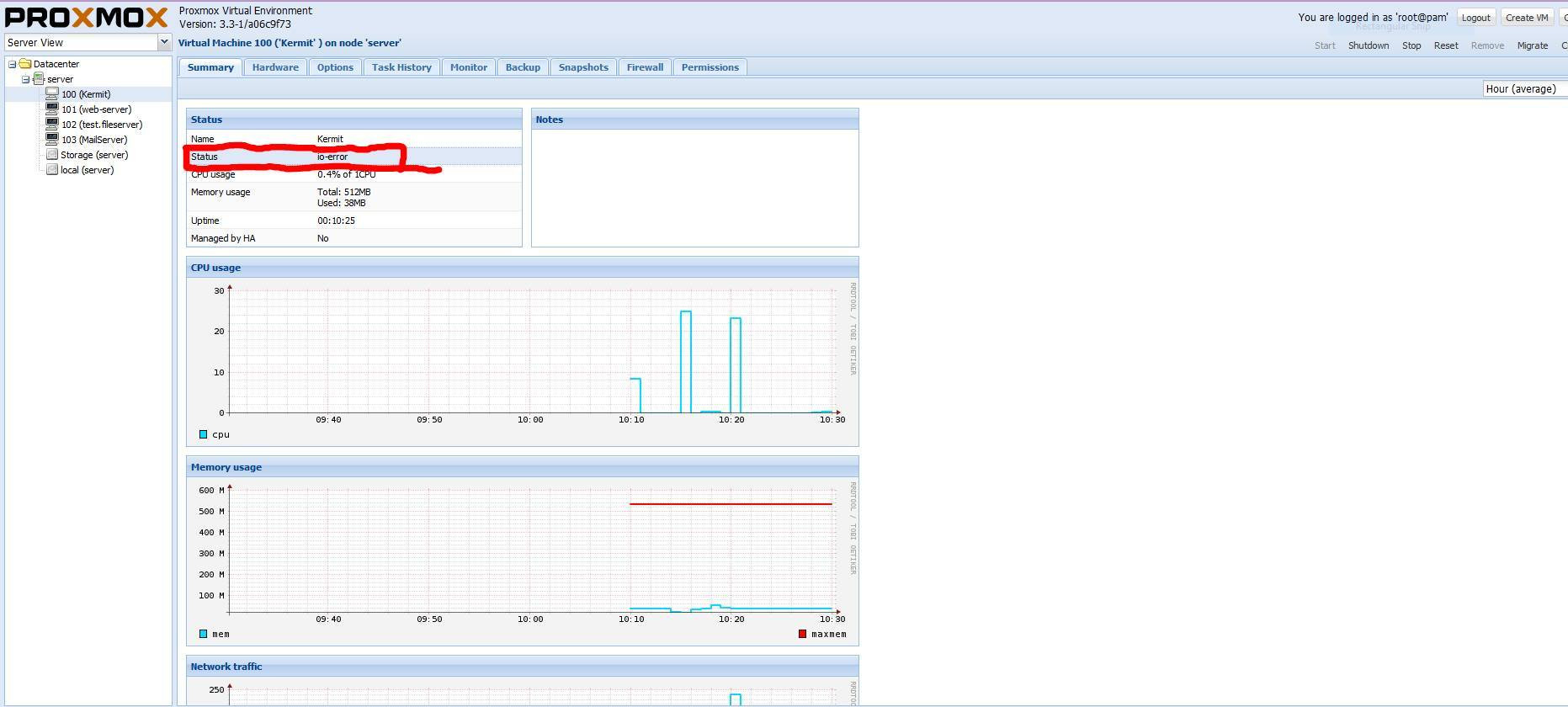
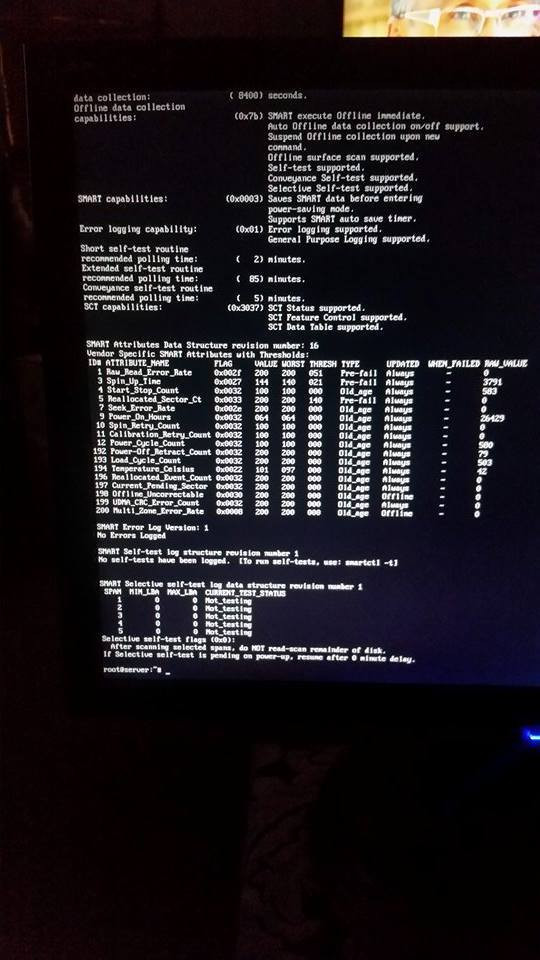
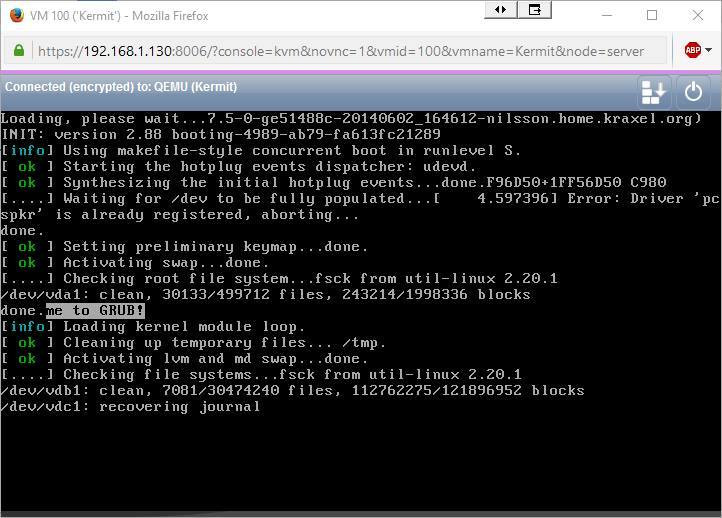
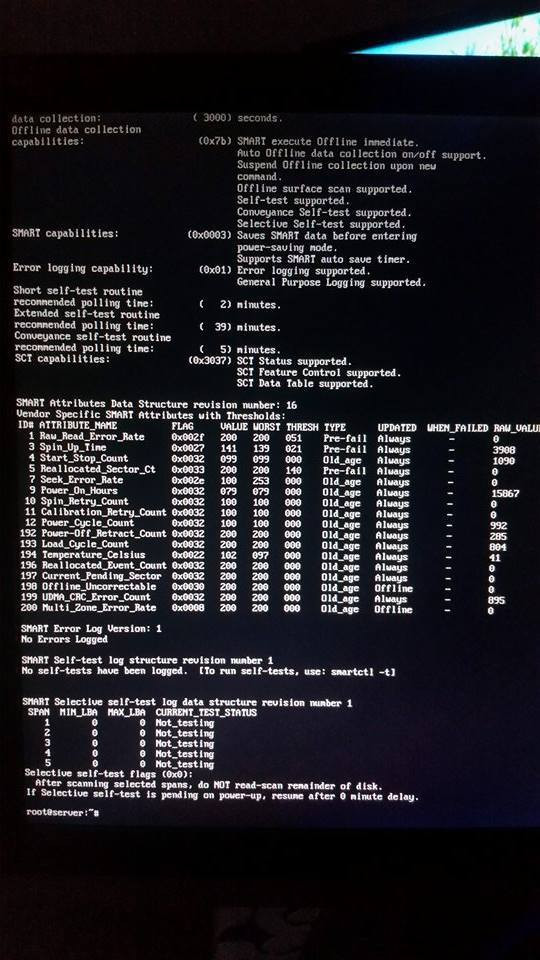
Kermit is the file server.
I’m really not an expert on promox because i’ve never used it, but i would i can try to help…
2 root@server is the command prompt of proxmox or of the server Kermi?
My advice would, back up any data you want saved NOW … If I’m reading the S.M.A.R.T. data right (which I always have to look up how to read it) it looks like your Sector count is high and failure is imminent.
+1 Backup the data is always a good idea… , if really read the smart value, raw value is the actual real time value ? or it the collun value that is real time?
Ah … I see … Here is the problem … I can’t get access to the disk …
Should I just shut it all down until I can get something to read the HDD?
First, in linux shutdown don’t always repare the error like on windows and in most case you can fix the problem without restart.
First of all if you are really scare for your data i would make a clone of the drive on another disk like conor say
I’m still looking into the S.M.A.R.T. data, I think I have it backwards. I think its actually the lower the number the less sectors that are available to be re-mapped. If @MyPlaceOnYT could throw out a
$ fdisk -l
it will answer @jolejo8’s question, (I think).
Sign in to reply.