IT BIBLESign in

Forum / General / Questions & Answers

Problem with ubuntu NIC on ESXI 6

Deleted Bot OP
Mar 14, 2016, 3:20 AM UTC
#1

Soo basically i got a ubuntu server 14.04 running on Vmware ESXI 6.x that is running for a while and i try to add a new nic to the server. But when i type ifconfig i don’t see a new interface I’m trying to connect it to a router with dhcp route but I’m not sure what is the problem -the ubuntu server

  • or it a dhcp server

Have any suggestion?

WizardTux Cool Guy
Mar 14, 2016, 3:20 AM UTC
#2

I guess I’ll be the guy who asks, you did reboot the VM, right?

Deleted Bot OP
Mar 14, 2016, 3:20 AM UTC
#3

Ya i reboot a few time, to add a nic you need to shutdown the host…

WizardTux Cool Guy
Mar 14, 2016, 3:20 AM UTC
#4

I guess I read it wrong last night, I thought you were talking about a virtual nic on the VM. Personally I have never used ESXi but you should be able to run $ lspci and be able to see your new nic.

Deleted Bot OP
Mar 14, 2016, 3:20 AM UTC
#5

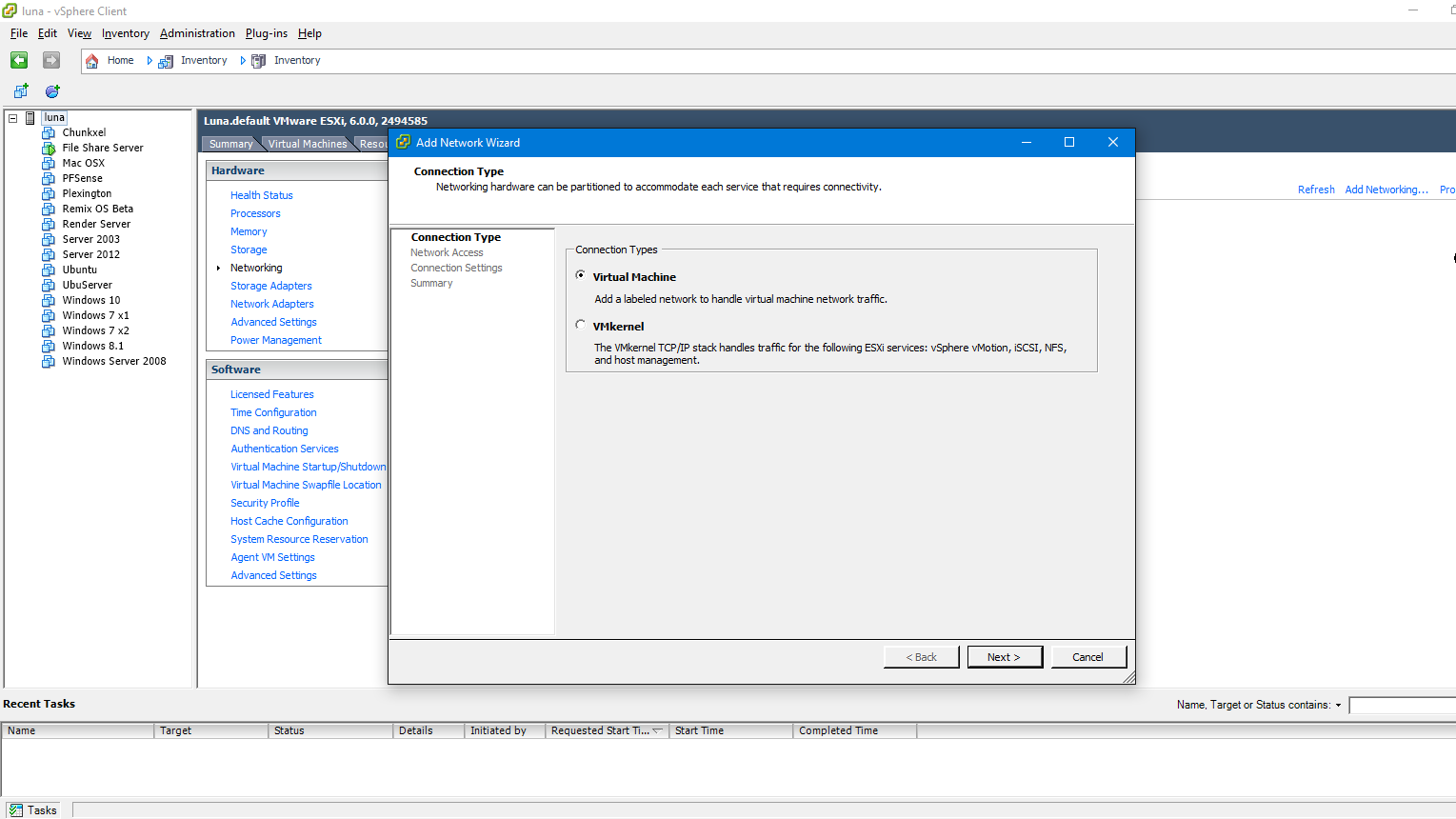
I get this problem with Windows based guest OS's... Have you made a new network adapter for the NIC in your hosts settings? This is usually under the HOST -> Configuration -> Networking -> Add Networking 8c0236d8702c86988a1760c0cd9b3ac388a63240

Brad
Mar 14, 2016, 3:21 AM UTC
#6

Have you installed the VMware ESXI drivers for clients.

Deleted Bot OP
Mar 14, 2016, 3:22 AM UTC
#7

I’ve found the solution with

> lshw -C network

Sample of the output: description: Ethernet interface

product: 82545EM Gigabit Ethernet Controller (Copper)
vendor: Intel Corporation
physical id: 1
bus info: pci@0000:02:01.0
logical name: eth1
version: 01
serial: 10:0c:29:35:ea:c6
description: Ethernet interface
product: VMXNET3 Ethernet Controller
vendor: VMware
physical id: 0
bus info: pci@0000:03:00.0
logical name: eth0

Since the host detect the second nic, just add a configuration in network config file /etc/network/interfaces for exemple : auto eth1 iface eth1 inet dhcp I thought it would auto configure the nic like on windows 😏 but i had no idea that the host was dettecting the nic at the beginning.,.. Tks guys

Sign in to reply.